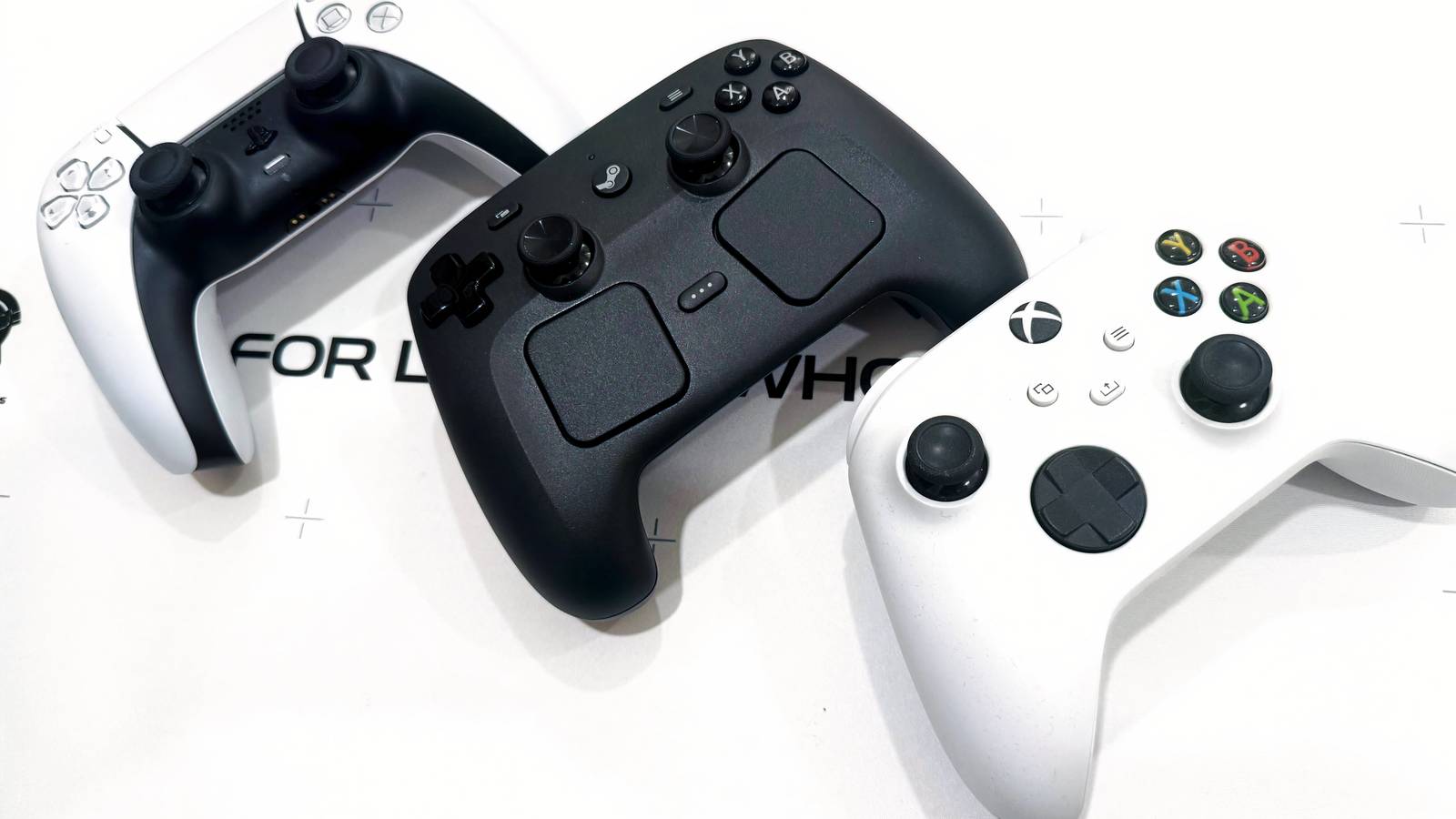
Here’s how Valve’s controller measures up
After a few months of uncertainty, you’ll finally be able to order your Steam Controller beginning on May 4. It’s a great option for PC players looking for a reliable gamepad, but it’ll cost you — $99 to be exact. It’s an eyebrow-raising number if you’re used to buying replacement Xbox Wireless Controllers, but just how pricey is it compared to other gamepads on the market? It’s more down to Earth than it might seem, but your view of it will vary depending on what you expect from a premium price point.
First, you have to know what exactly you’re getting with the Steam Controller, because it’s not just a reskinned Xbox Wireless Controller. It features two haptic trackpads that allow you to simulate mouse controls in PC games. That’s a feature you won’t find on virtually any gamepad. You’re also getting Grip Sense, which enables gyroscopic controls, and four back buttons. All of that comes bundled with a puck that’s used to both easily pair the controllers to a PC and doubles as a charging cable. It doesn’t have swappable parts, but it’s safe to say that the Steam Controller has a fairly premium feature set that places it above your typical gamepad.
So how does it stack up with the competition? At a glance…
|
Controller |
Price |
Platforms |
|---|---|---|
|
Xbox Wireless |
$65 |
Xbox, Windows PC, Mac, Android, iOS |
|
Sony DualSense |
$74 |
PS5, Windows PC, Mac, Android, iOS |
|
Steam Controller |
$99 |
PC, Android and iOS (via Steam Link) |
|
Joy-Con 2 |
$100 |
Nintendo Switch 2 |
|
Scuf Valor |
$100 |
Xbox, Windows PC |
|
Razer Wolverine V3 Tournament Edition |
$100 |
Xbox, Windows PC |
|
Power A XP-ULTRA Wireless Controller |
$100 |
Xbox, Windows PC, Android |
|
Xbox Elite Wireless Controller Series 2 |
$200 |
Xbox, Windows PC, Mac, Android, iOS |
|
Sony DualSense Edge |
$200 |
PS5, Windows PC, Mac, Android, iOS |
|
Victrix Pro BFG |
$200 |
Xbox, Windows PC |
|
Scuf Reflex FPS with TMR |
$280 |
PS5, Windows PC, Mac, iOS |
Let’s start with the big three. The Xbox Wireless Controller typically costs $65, though you can easily find it for $50 these days. That’s a real meat and potatoes gamepad with no unique features. Next up is the PlayStation 5’s DualSense, which will run you $74. That price tag will get you adaptive triggers and haptic feedback. Finally, there’s the Joy-Con 2 controllers, which are only compatible with the Nintendo Switch 2. A set of those will run you $100, but naturally that isn’t your average controller. Motion controls, HD rumble, an NFC reader, mouse mode support, and more explain the higher price there.
The Steam Controller lines up with the latter, but those aren’t the only $100 controllers out there. This is the price bracket you tend to see for low-end premium controllers. The Scuf Valor, for instance, sits at that price tag. It comes with back buttons, trigger locks, and onboard audio controls. Then there’s the $100 Razer Wolverine V3 Tournament Edition, which also has back buttons and trigger locks, in addition to extra bumpers and Hall Effect thumbsticks. Power A’s XP-ULTRA Wireless Controller is up there too, an unusual gamepad that can be reconfigured into a compact mobile controller, complete with a phone clip.
Those are relatively affordable compared to some of gaming’s most feature-loaded gamepads. The Xbox Elite Wireless Controller Series 2, the holy grail of PC gamepads, costs $200 — and for good reason. It comes with tons of swappable parts, a charging dock, and its own carrying case. (Even the stripped down Core version of it, which doesn’t come with any of those fancy extras, will cost you $150.) $200 is also the price of Sony’s PS5 and PC compatible DualSense Edge, which comes with a similar set of features. The Victrix Pro BFG, an excellent modular gamepad that lets you swap the entire layout of your controller around, sits at that price too.
That isn’t even the peak of the mountain. If you really wanted to break the bank, there’s the Scuf Reflex FPS with TMR, an extravagant DualSense alternative that works on both PS5 and PC. It sells for a whopping $280.
So at $100, the Steam Controller is more middle of the pack than it seems considering the unique features that you’re getting with it. It feels a touch high next to the DualSense, which might be its closest equivalent, but the trackpads do a lot to make it feel like a reasonable deal in context of the price tier. The catch is ultimately compatibility, as the Steam Controller only works with the Steam client. Other launchers recognize it as a composite mouse and keyboard setup, which means that you can’t use it as your go-to PC controller across apps. That makes its use case a little niche compared to an Xbox controller, putting a dent in its value.
If you’re going to drop a cool Benjamin Franklin on it, just know what you’re getting into. It’s a feature-loaded gamepad that will work across your PC Steam client, Steam Deck, mobile via Steam Link, Steam Machine, and Steam Frame. It’s not going to connect to your PS5 or Nintendo Switch 2, nor can you use it to control games via the Epic Games Store. If that’s a dealbreaker, hang on to your money. But if you’re all-in on Steam, it just might be the best companion controller you can get.

The Steam Controller is so close to being the perfect PC gamepad
Valve’s second draft is a perfect match for Steam, but don’t expect to use it elsewhere
PakarPBN
A Private Blog Network (PBN) is a collection of websites that are controlled by a single individual or organization and used primarily to build backlinks to a “money site” in order to influence its ranking in search engines such as Google. The core idea behind a PBN is based on the importance of backlinks in Google’s ranking algorithm. Since Google views backlinks as signals of authority and trust, some website owners attempt to artificially create these signals through a controlled network of sites.
In a typical PBN setup, the owner acquires expired or aged domains that already have existing authority, backlinks, and history. These domains are rebuilt with new content and hosted separately, often using different IP addresses, hosting providers, themes, and ownership details to make them appear unrelated. Within the content published on these sites, links are strategically placed that point to the main website the owner wants to rank higher. By doing this, the owner attempts to pass link equity (also known as “link juice”) from the PBN sites to the target website.
The purpose of a PBN is to give the impression that the target website is naturally earning links from multiple independent sources. If done effectively, this can temporarily improve keyword rankings, increase organic visibility, and drive more traffic from search results.